
When working from remote or hybrid locations, it becomes challenging to remember the birthdays and work anniversaries of every team member.
Manual methods of tracking with spreadsheets and shared calendars are unreliable and consume significant time, which results in missed celebration opportunities and reduced employee appreciation.
Small employee achievements create major changes throughout the professional environment. Regular team recognition practices lead to improved employee morale and create a stronger team culture, which in turn leads to better employee retention.
According to Gallup, 47% of workers experience insufficient appreciation in their workplace because recognition fails to meet employee expectations.
Manual employee milestone tracking requires managers and HR teams to invest three or more hours each month due to the labour-intensive nature of this process. Remote teams face the challenging situation of not participating in spontaneous office celebrations that happen naturally.
The Challenge with Manual Celebration Tracking
- Spreadsheets and shared calendars are hard to maintain
- Recognition gets missed or delayed
- Managers lose time every month tracking dates
- Remote team members often get left out
The Solution: Automate Celebrations with AnnounceBot
AnnounceBot is a Microsoft Teams birthday bot that helps teams celebrate birthdays, work anniversaries, and onboarding milestones without relying on an HR system or manual entry.
Key Benefits of AnnounceBot
- Hassle-Free Setup – One person installs it for the entire team. No individual installs required.
- Easy Microsoft Teams Integration– No extra logins, works entirely within Teams.
- Automated & Effortless– Eliminates manual tracking, spreadsheets, and missed celebrations.
- Boosts Employee Engagement – Strengthens team culture with timely, personalized recognition
How AnnounceBot Works
Step 1: Install from the Microsoft Teams App Store.
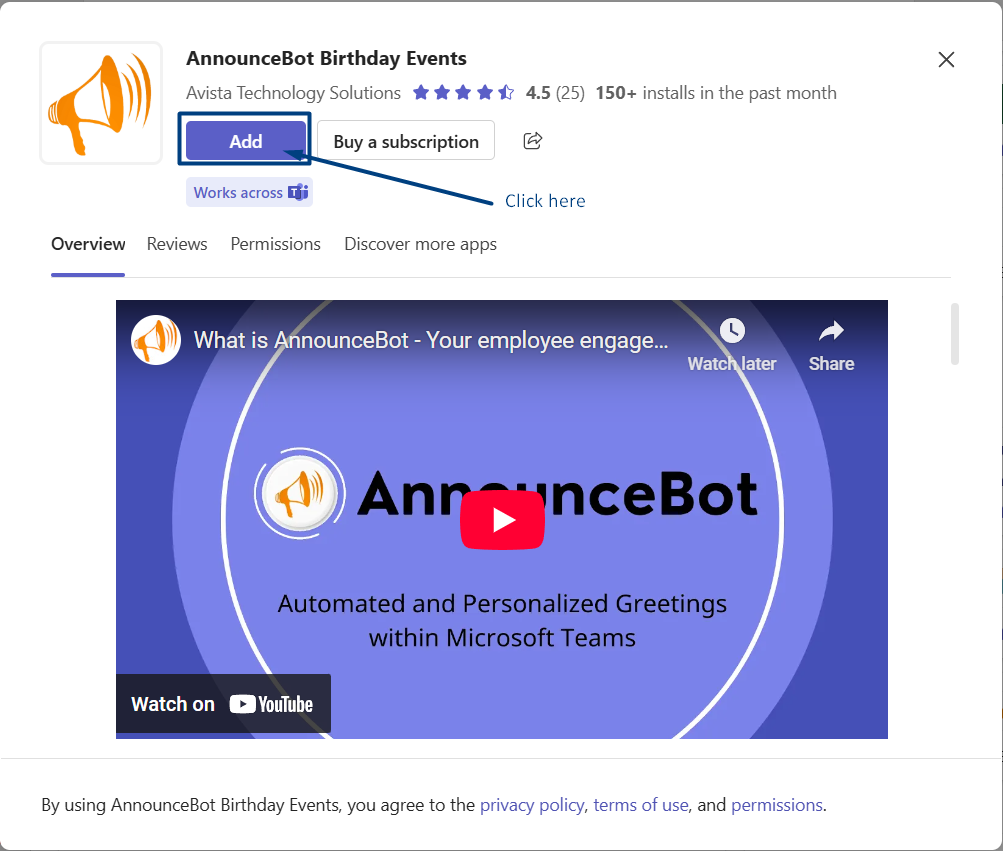
Step 2: Add employee birthdates (day and month only) and joining dates. You can either load the dates in the spreadsheet or let AnnounceBot message team members on your behalf to collect their dates.

Step 3: Choose how and where you want celebration messages to appear. You can customize messages, add e-cards, and select specific Teams channels.

Step 4: Optional rules let you control when messages are posted and send advanced reminders to managers or teammates.
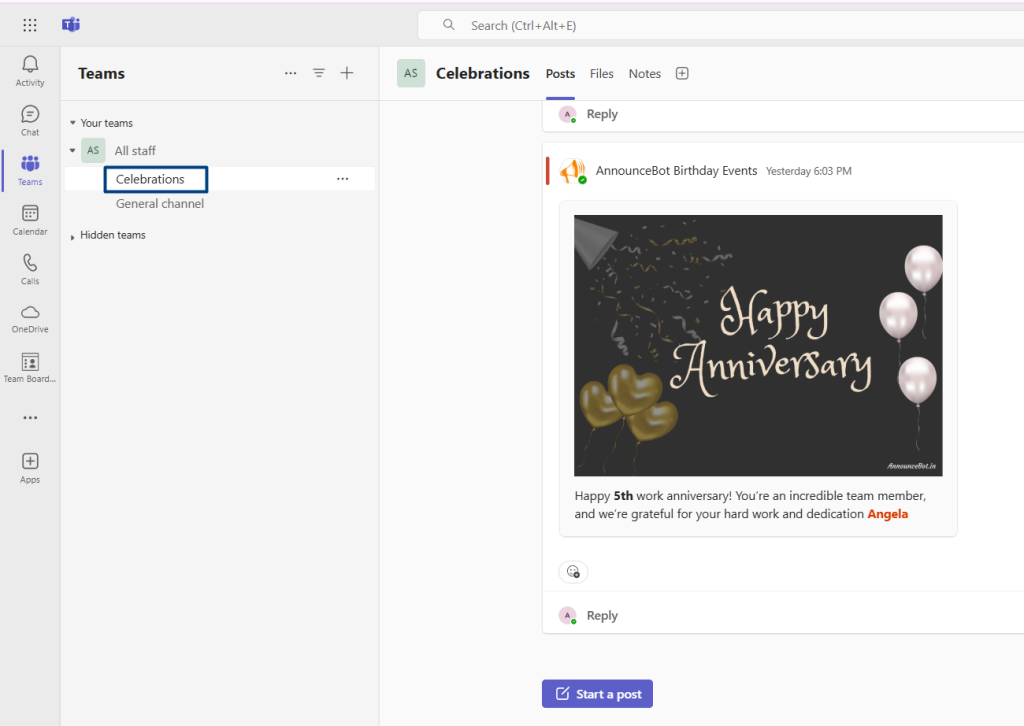
Use Cases
- For small teams, remembering birthdays and work anniversaries is key to culture, but sending individual messages eats up time. With AnnounceBot, you:
- Automate personalised birthday wishes in MS Teams.
- Create virtual group e-cards in seconds.
- Save money—no more last-minute gift cards or forgotten celebrations.
- Large companies struggle to maintain culture across offices and time zones. AnnounceBot helps by:
- Automating welcome messages to new hires and introducing them to the team.
- Centralising birthday and work anniversary reminders (no more spreadsheet tracking).
- Generating monthly celebration reports to track team engagement metrics.
Cost-Saving Angle
AnnounceBot replaces:
- Manual HR reminders ($15/hr * 5 hours/month = $900/year saved).
- Forgotten milestones (30% turnover reduction = $20,000+ saved).
Frequently Asked Questions
How do teammates update their information?
They can reply to AnnounceBot’s message or an admin can make edits directly.
What if someone doesn’t want to share their birthday?
Admins can exclude individuals (We do not save birth year for privacy reasons).
Is there a free trial?
Yes. AnnounceBot is free to try for 30 days with no credit card required.
Start Celebrating Effortlessly
You don’t need an HR system to build a strong culture of appreciation. AnnounceBot makes it easy to automate birthday and work anniversary celebrations within Microsoft Teams, helping your team stay connected and appreciated, all without extra effort.